Registration for NMT-2026 started today: step-by-step instructions for applicants
5 March 06:47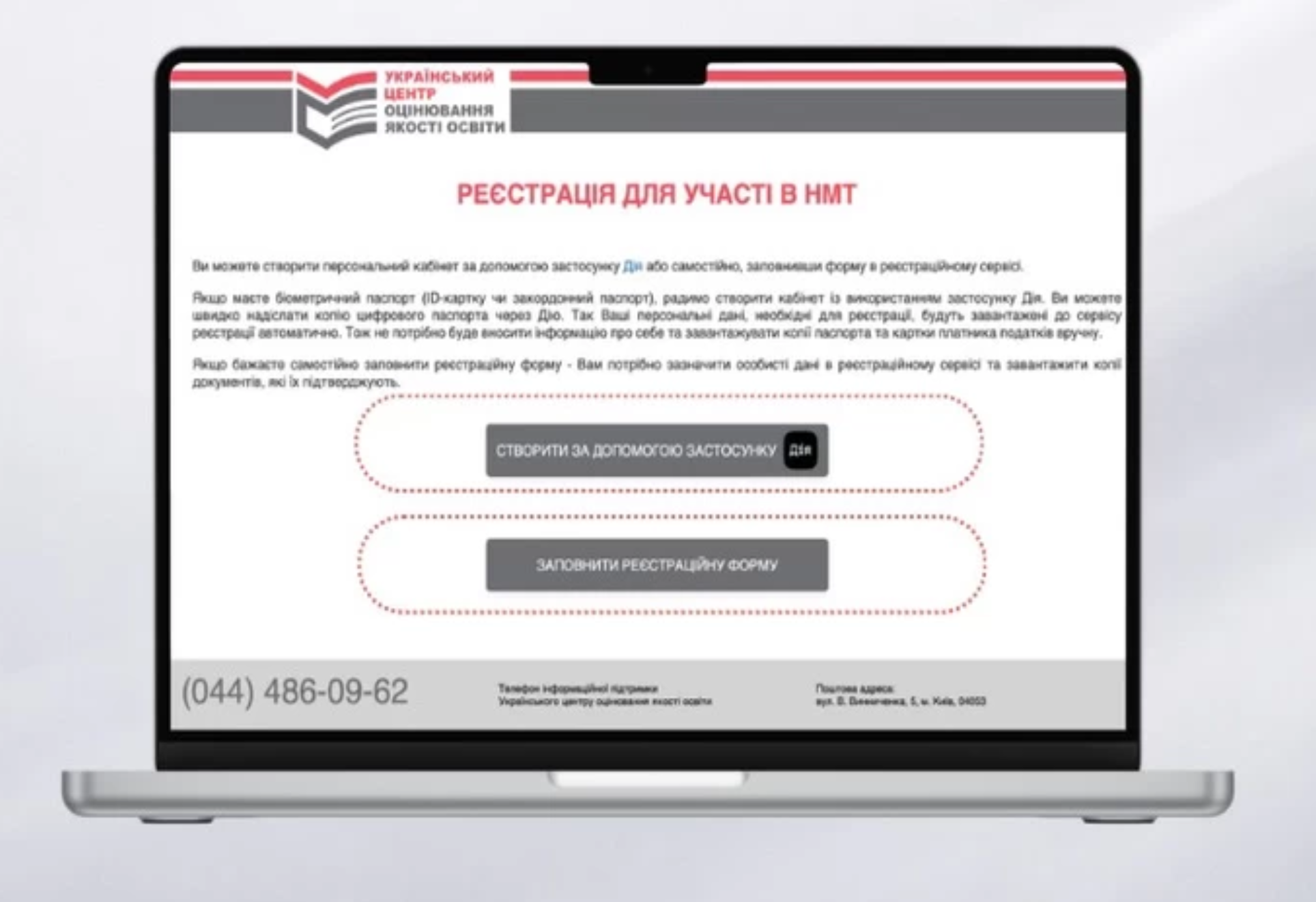
On March 5, 2026, Ukraine began registration for the National Multidisciplinary Test (NMT), the main entrance exam for applicants to higher education institutions. Detailed recommendations on the NMT registration procedure are available on the website of the Ukrainian Center for Educational Quality Assessment, according to "Komersant Ukrainian".
Registration is only available online through a special service on the Ukrainian Center for Educational Quality Assessment website.
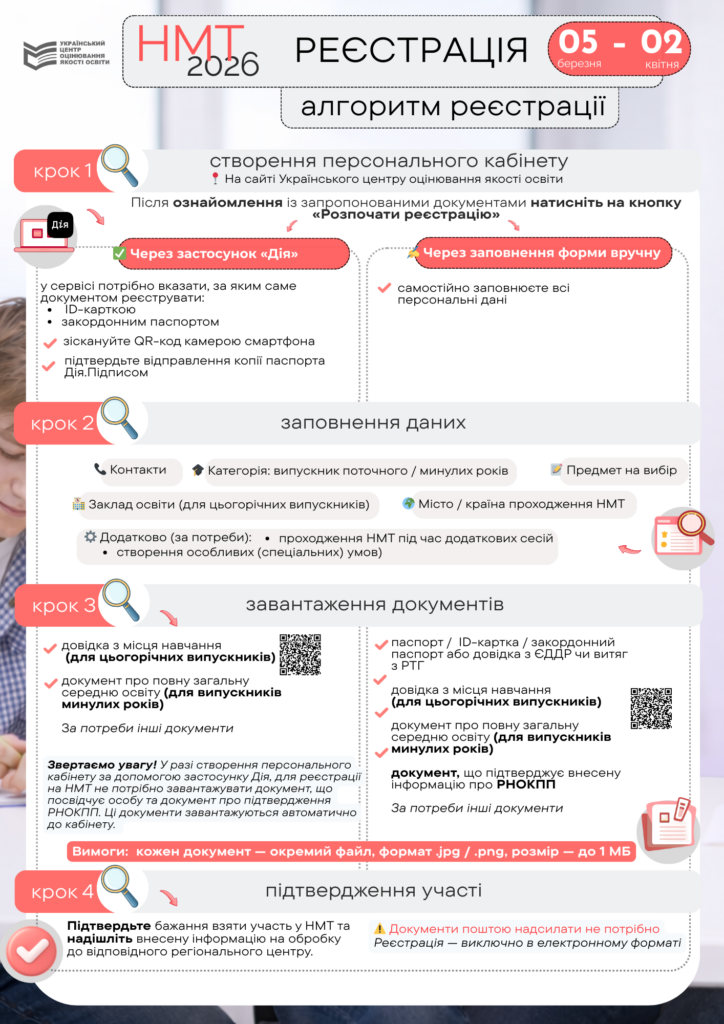
The first step in the procedure is to create a personal account for the NMT participant. After that, the applicant must enter the necessary data, upload documents, and confirm their participation in the test.
How to create a personal NMT account through “Diy”
The easiest way to register is to use the Diya mobile app.
In this case, some of the personal data will be automatically pulled from digital documents.
Algorithm of actions:
- Go to the NMT registration service on the UCEQA website.
- Select the authorization method via “Diy.”
- Send a digital document — ID card or foreign passport.
- Fill in the registration details:
- contact information
- participant category (2026 graduate or previous years)
- information about the educational institution
- need for special conditions
- test subject
- location of the test in Ukraine or abroad
- the language of the test.
- Download the necessary documents.
- Confirm your participation and send the data to the regional assessment center.
Using “Dія” simplifies the procedure, as some documents will be uploaded automatically.
How to register without the Diia app
Applicants can also create an account manually.
To do this, you need to:
- Fill in your personal details in the form on the website.
- Enter your contact information and details about your educational institution.
- Select the test subjects and the location of the NMT.
- Upload scanned copies of documents.
- Confirm your participation in the test and send the data for verification.
After that, the regional center for educational quality assessment will verify the information and confirm your registration.
What documents need to be uploaded
To complete registration, applicants must add copies or photos of documents to their account.
Main documents:
- identity document (passport or ID card);
- document confirming the RNOICP (identification code) or confirmation of refusal to obtain it;
- document confirming education.
For 2026 graduates, a certificate from the school confirming completion of secondary education must be uploaded.
Graduates from previous years can submit:
- certificate of complete secondary education;
- junior specialist or junior bachelor’s degree;
- diploma of higher education;
- an extract from the register of educational documents.
Additional documents (if necessary)
In some cases, applicants must submit additional documents:
- certificate of change of name or marriage;
- certificate of language of instruction;
- medical certificate confirming the need for special testing conditions;
- notarized translation of documents if they are issued in a foreign language.
How long do you have to correct mistakes
After submitting documents, participants are advised to regularly check the status of their application in their personal account.
If the regional center finds errors or inaccuracies, they will be notified in their account.
Data can be corrected until April 7, 2026.